Efficient Shortcuts with Suno JKL Add-on
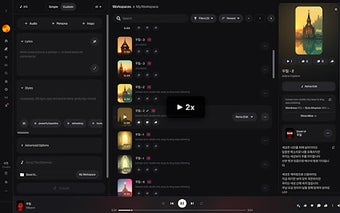
Suno JKL is a free Chrome add-on designed to enhance productivity for users of Suno and YouTube. This tool integrates Premiere Pro-style keyboard shortcuts, allowing users to navigate and control video playback seamlessly. Key shortcuts include 'J' to skip back 5 seconds, 'K' to pause, 'L' to play or speed up, and the '' keys for previous and next video segments, respectively.
By implementing these shortcuts, Suno JKL significantly improves the efficiency of video editing and viewing tasks. Whether for content creators or casual users, this add-on streamlines the process, making it easier to manage video playback without the need for constant mouse interaction. Overall, Suno JKL serves as a valuable tool for enhancing the user experience on both Suno and YouTube platforms.